NoctO₂
NoctO₂ app icon

Sleep easier.
We’ll watch the numbers.

NoctO₂ turns your Bluetooth sleep oximeter into an overnight monitor on your iPhone, with live SpO₂ and pulse, alarms you control and, if you want, a heads-up to your family.

Coming soon to the App Store Free · No account · No ads
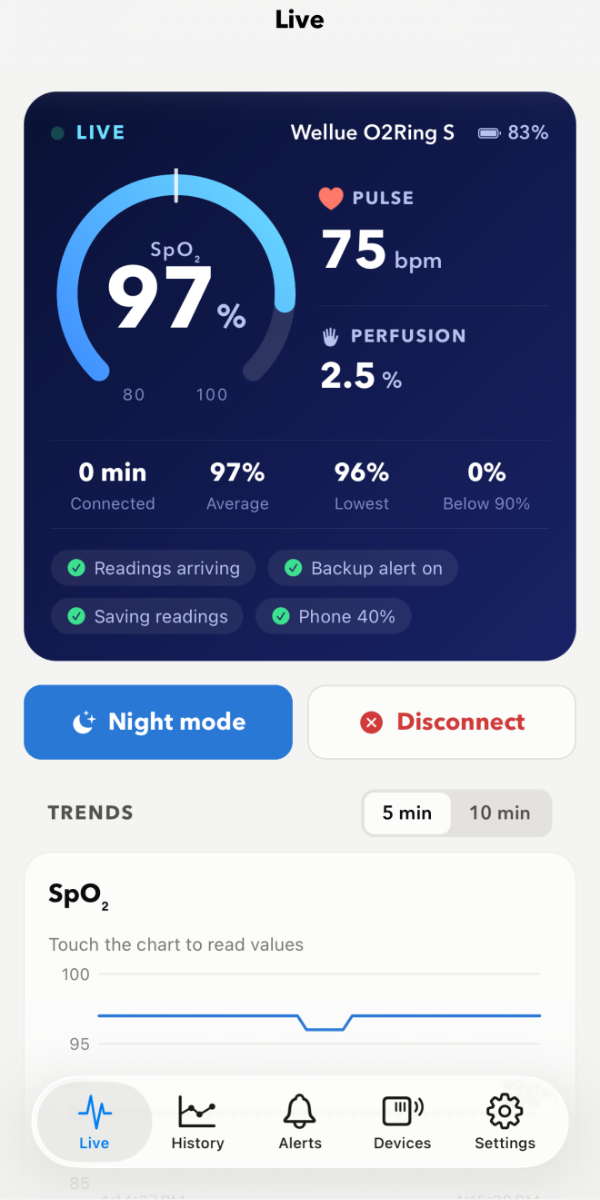
Live screen showing SpO₂ 97% and pulse 75 bpm
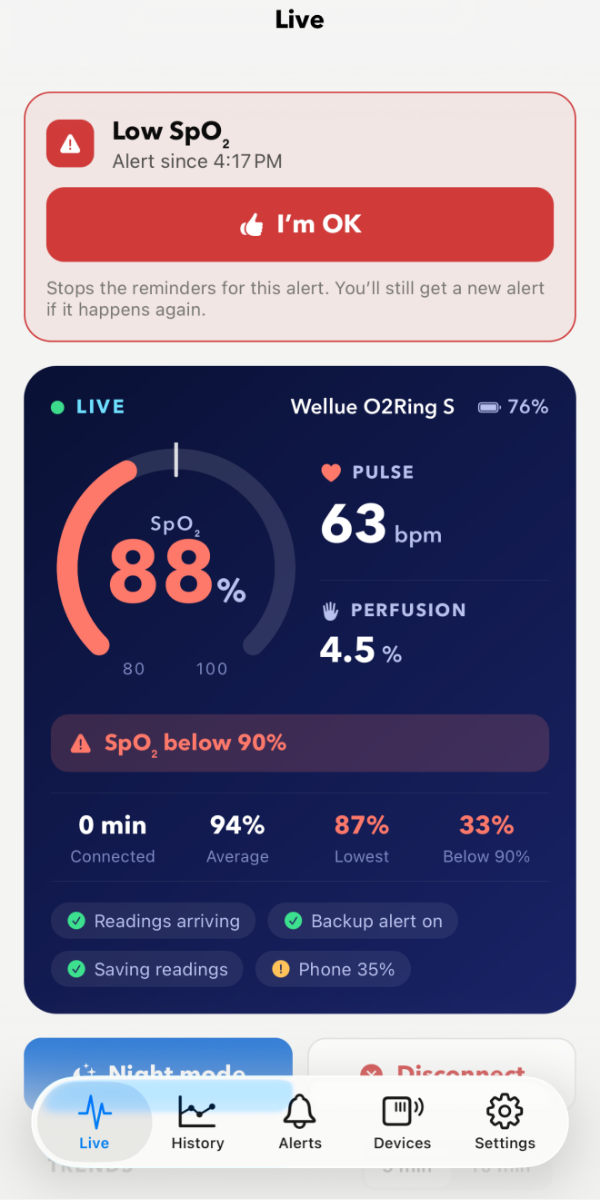
A low SpO₂ alarm with an I’m OK button
Get started

Three steps to a watched night

  1. 1

    Install NoctO₂

    Free on iPhone. No account to create, nothing to sign in to.

  2. 2

    Connect your oximeter

    Put your ring or wrist oximeter on and tap “Add a device”. It’s found over Bluetooth in seconds. Which devices?

  3. 3

    Set your alarms and sleep

    Pick your limits in the Alerts tab, put the iPhone on its charger, and go to sleep. Add your family if you like.

What it does

Your night, made visible

Wear your ring, put your iPhone on the charger, and go to sleep. NoctO₂ keeps an eye on things.

Live SpO₂ and pulse

Big, clear readings from your oximeter, with a running chart, your lowest value and time below your limit.

Alarms you control

Low oxygen, high or low pulse, ring off finger, low batteries. You set the limits, how long to wait and how often to remind.

Family alerts

If an alarm isn’t answered with “I’m OK”, the people you choose get a notification on their iPhones.

Every night saved

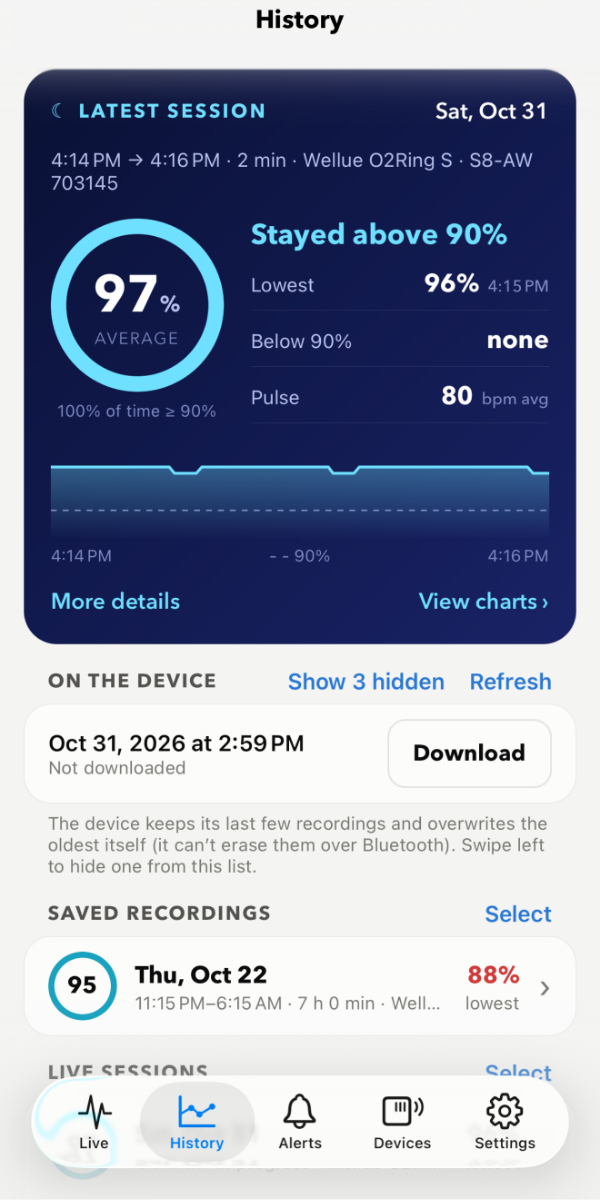
Download the recordings stored on your ring and look back at each night’s average, lows and pulse.

Private by design

Your readings stay on your phone. No account, no ads, no tracking.

Made for the night

Works with the screen locked, keeps going on the charger, and has a backup alert if the readings ever stop.

Alarms

Loud when it matters, quiet when it doesn’t

Short dips happen. Choose how low, and for how long, before NoctO₂ sounds an alarm. Then tap “I’m OK” to stop the reminders.

  • Blood oxygen, pulse, off-finger and battery alarms
  • Your own limits and waiting times
  • Reminders until you answer, and an “all clear” when it ends
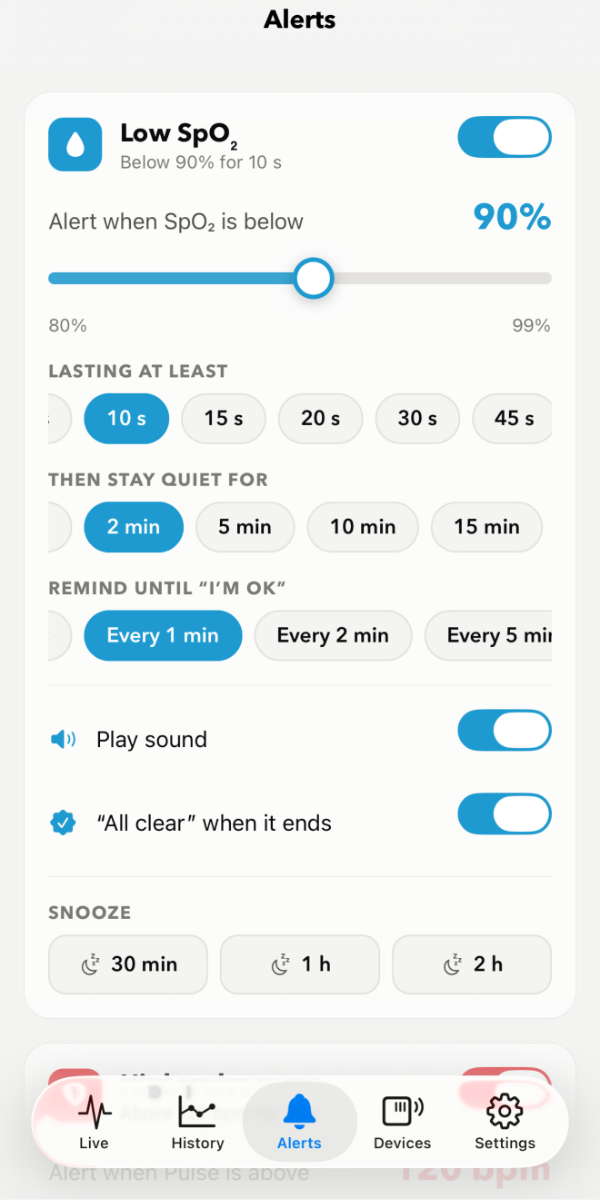
Alert settings: below 90% for 10 seconds
Family alerts · optional

Someone who cares, even when you’re asleep

For a parent living alone, a partner who travels, or anyone who sleeps through their own alarms. If an alarm isn’t answered in time, the family is told.

  • Family members join with a 6-digit code. No accounts, no email
  • You choose which alarms go to the family, and how long to wait first
  • Optional live sharing: family can see SpO₂ and pulse while you’re monitoring
  • “Seen it” lets everyone know someone is following up

How family alerts work, step by step →

3:12
Tuesday, 12 November
NOCTO2now
Mom: Low SpO₂ 86% Not answered for 2 min. Tap to see live readings.
NOCTO2now
Sam saw it Sam is following up.
History

Wake up to a clear summary

See how the night went at a glance: average and lowest SpO₂, time below your limit and pulse. The full chart is one tap away.

  • Downloads recordings from your ring automatically
  • Every alarm in the alert log, with when it was answered
  • Kept on your phone for as long as you choose
History screen with a 97% average night summary
Supported devices

Works with popular sleep oximeters

Bring the ring or wrist oximeter you already have. More devices are added over time.

Wellue

  • O2Ring S Tested
  • Checkme O2 Max Tested
  • O2Ring Tested
  • O2Ring for small fingers Supported
  • SleepU Supported

Lepu-Creative

  • SP-20 Tested

Live readings only. The SP-20 doesn’t share stored recordings over Bluetooth.

EMAY

  • SleepO2 Experimental

Live readings. Not yet tested on a real device.

See every device in detail, with links to the makers →

No oximeter yet? Try Demo Mode in the app’s Settings to see a simulated night, alarms included.

Privacy

Your health data is yours

NoctO₂ keeps your readings on your iPhone. Nothing is sent anywhere unless you set up family alerts, and then only what your family needs to see.

No account No ads No tracking No analytics Free

Read the privacy policy →

Questions

Good to know

Is NoctO₂ really free?

Yes. No subscription, no in-app purchases and no ads.

Does it work with the screen locked?

Yes. Keep your iPhone on the charger near your oximeter. Monitoring continues with the screen off, and a backup alert warns you if the readings stop.

Can I use it alongside the oximeter maker’s app?

An oximeter connects to one app at a time, so close the other app while NoctO₂ is monitoring. Your oximeter keeps its own recordings either way.

Do my family members need an oximeter?

No. They just install NoctO₂, open the Family tab, choose “I’m a family member” and enter the code you give them.

Will alarms sound during Sleep Focus or Do Not Disturb?

Add NoctO₂ to the allowed apps of your Sleep Focus or Do Not Disturb, and keep Time Sensitive notifications on. The support page walks you through it.

Is there an Android version?

Not yet. NoctO₂ is iPhone only for now.

Important: NoctO₂ is a monitoring aid, not a medical device. It does not diagnose, treat or prevent any condition, and it is not a substitute for medical care or a medical alarm. Alerts can be missed or delayed, so keep your oximeter’s own alarms on and follow your doctor’s advice. In an emergency, call your local emergency number.